I Built a Copilot Clone in Neovim With a 1.5B Model on a Laptop GPU
Using Qwen2.5-Coder-1.5B with llama.cpp and Minuet AI to get Fill-in-the-Middle code completions in Neovim — no subscription, no telemetry, running on a laptop GPU.
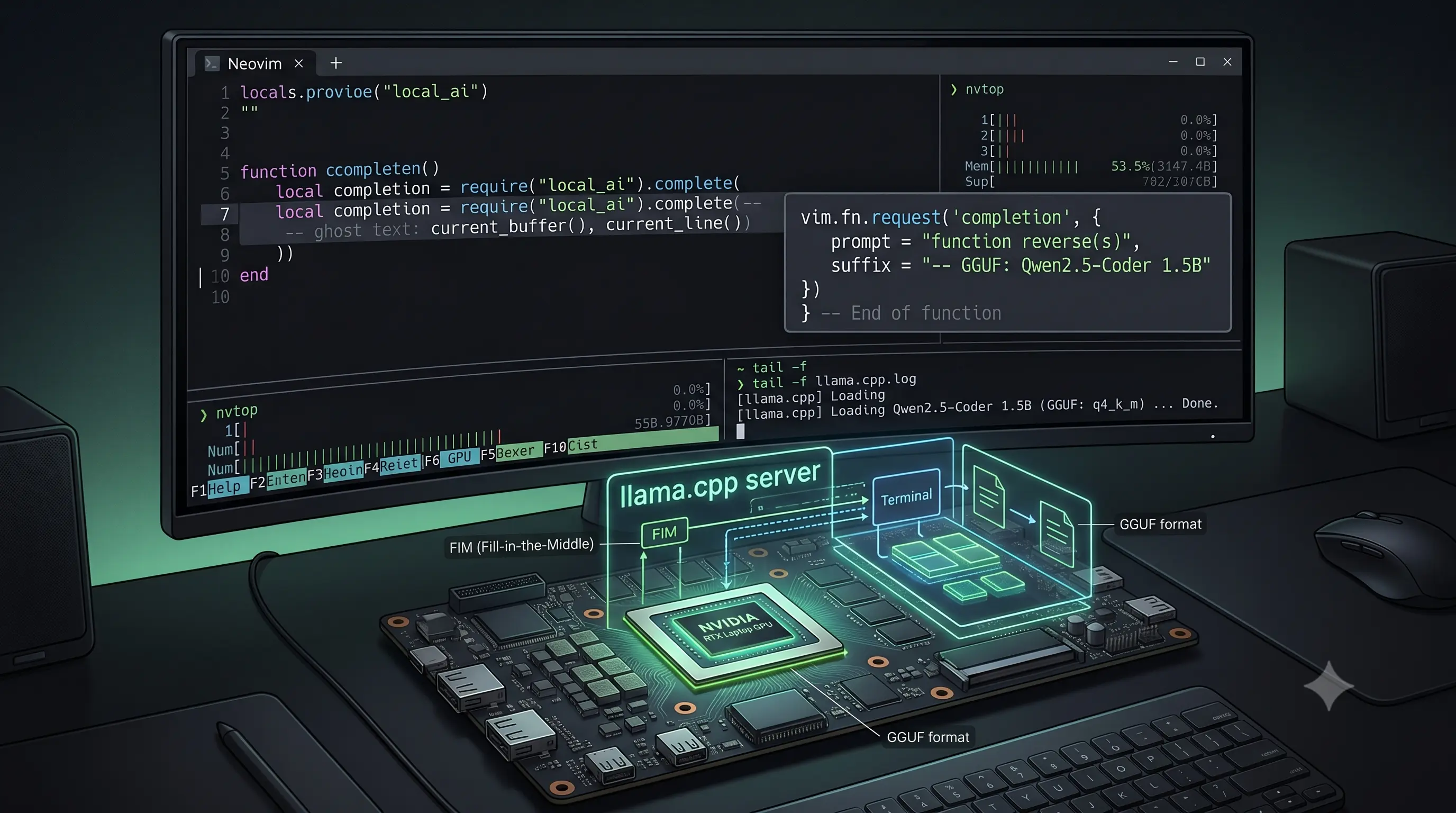
I’ve been using GitHub Copilot since it launched. The inline completions — ghost text that predicts your next few lines — are genuinely useful. But in 2026, the landscape around it has shifted.
The Copilot Free tier caps at 2,000 code completions per month — roughly 66 per day, assuming you code every day. Go over that and you hit a wall until next month. The Pro tier (USD 10/month) moved to usage-based billing in June 2026, with 1,500 AI credits included per month and additional consumption billed after that. Pro+ (USD 39/month) and Max (USD 100/month) exist for higher credit allowances, but new sign-ups for all paid plans have been paused since April 2026. If you don’t already have a subscription, you can’t get one.
Beyond pricing: every completion and chat query is sent to Microsoft’s servers. There’s no offline mode. Your code, context, and edits leave your machine on every keystroke.
So I set out to build a local alternative. The result: a Neovim setup that serves code completions from Qwen2.5-Coder-1.5B running on my laptop’s RTX 4060, using llama.cpp as the inference backend and Minuet AI as the client. No internet required. No data leaves the machine.
This post walks through what I built, the decisions I made, and where the approach falls short.
What Is FIM and Why Does It Matter for Code Completion
Most large language models work by predicting the next token from a sequence of preceding tokens. You give it def factorial(n):, it generates what comes next. This is called causal language modeling — left-to-right, one token at a time.
Inline code completion has a different requirement. When you’re editing code, your cursor is often in the middle of a function, not at the end of the file. The model needs to see both the code before the cursor (prefix) and the code after it (suffix), then generate what belongs in between.
Fill-in-the-Middle (FIM) is the technique that addresses this. Instead of a single prompt string, the model receives three pieces:
<|fim_prefix|>{code before cursor}<|fim_suffix|>{code after cursor}<|fim_middle|>The special FIM tokens (<|fim_prefix|>, <|fim_suffix|>, <|fim_middle|>) are baked into the model’s vocabulary during training. The model learns that when it sees this pattern, its job is to predict the code that would naturally complete the function body between prefix and suffix.
GitHub Copilot uses FIM internally. So do Codeium, Tabnine, Cody, and other inline completion tools. The technique itself was described in OpenAI’s 2023 paper. What matters is that you need:
- A model that was trained with FIM tokens
- A server that constructs the FIM prompt correctly
- A client that sends both prefix and suffix to the server
Model Choice: Qwen2.5-Coder-1.5B
I chose Qwen2.5-Coder-1.5B — the smallest model in Alibaba’s Qwen2.5-Coder family. The relevant specifications:
- 1.5 billion parameters — requires approximately 3 GB at 16-bit precision
- Four FIM tokens —
<|fim_prefix|>,<|fim_middle|>,<|fim_suffix|>,<|fim_pad|>are in the tokenizer - 32,768 token context window — accommodates full function bodies and surrounding code
- Architecture: Qwen2ForCausalLM with 28 transformer layers, 12 attention heads, 2 KV heads
The model was quantized at 16-bit (f16) during conversion. Further quantization to Q4_K_M would reduce the file size from ~3.1 GB to ~0.9 GB, but for a 1.5B model that already fits in GPU memory, the quality trade-off isn’t worth it for code completion tasks.
Converting the Model: HuggingFace Safetensors to GGUF
llama.cpp expects models in GGUF format — a single-file format that bundles weights, tokenizer, and metadata. The HuggingFace repository distributes the model as safetensors (the PyTorch-native format), so conversion is necessary.
The conversion script is part of the llama.cpp repository at convert_hf_to_gguf.py. Here’s what I ran:
# The converter requires transformers, torch, and sentencepiece
MODEL_DIR="$HOME/models/Qwen2.5-Coder-1.5B"
GGUF_OUT="$HOME/models/Qwen2.5-Coder-1.5B.gguf"
CONVERT_ENV="$HOME/.venvs/gguf-convert"

uv venv "$CONVERT_ENV"
source "$CONVERT_ENV/bin/activate"
uv pip install transformers torch sentencepiece protobuf

# Run the conversion
cd "$HOME/llama.cpp"
python convert_hf_to_gguf.py "$MODEL_DIR" \
  --outfile "$GGUF_OUT" \
  --outtype f16
The converter loaded the model architecture (Qwen2ForCausalLM), exported 338 tensors, and wrote a 3.09 GB GGUF file. The output confirmed the model has 28 layers, 12 heads, a 32,768 context window, and a 151,936-token vocabulary (BPE via SentencePiece).
INFO:hf-to-gguf:Model successfully exported to ~/models/Qwen2.5-Coder-1.5B.gguf
Writing: 100% | 3.09G/3.09G [00:04<00:00, 684Mbyte/s]
The write took approximately 4 seconds. Preceding steps (model loading, metadata extraction) added roughly 10-15 seconds.
Dependency note: The converter needs transformers, torch, and sentencepiece. I used uv for package management. If you use pip, the same packages apply. The CPU-only version of torch is sufficient — the conversion doesn’t use CUDA.
Serving the Model: llama.cpp Server
llama.cpp ships with a built-in HTTP server (llama-server) that exposes OpenAI-compatible endpoints. I wrapped the server command in a small bash helper so I can start the local completion backend with one command: copilot.
# ~/.bashrc
copilot() {
    "$HOME/llama.cpp/build/bin/llama-server" \
     -m "$HOME/models/Qwen2.5-Coder-1.5B.gguf" \
     --port 6969 \
     --host 127.0.0.1 \
     -c 8192 \
     -ngl all \
     --metrics \
     --parallel 4
}
The server loaded the model on my RTX 4060 (7,805 MiB total, 7,562 MiB free at startup) and created 4 slots with 2,048 tokens each (8,192 total context divided by 4 parallel slots).
The relevant endpoints:
/v1/chat/completions— standard OpenAI-compatible chat API. Used by CodeCompanion for AI chat interactions./v1/completions— text completion API. Supports FIM when bothpromptandsuffixare provided.
llama.cpp handles FIM construction internally. When you POST to /v1/completions with both prompt and suffix parameters, the server constructs the FIM input using the model’s native tokens. You don’t need to manually insert <|fim_prefix|> etc.
I verified the FIM endpoint with a test request:
curl -s http://127.0.0.1:6969/v1/completions \
  -H "Content-Type: application/json" \
  -d '{
    "prompt": "def is_prime(n):\n    ",
    "suffix": "\n    return True",
    "max_tokens": 50,
    "temperature": 0.1
  }'
The response (over a single request):
{
  "choices": [{"text": "\n    if n == 2:\n        return True\n    if n % 2 == 0 or n <= 1:\n        return False\n\n    sqr = int(n**0.5) + 1\n\n    for divisor in range"}],
  "usage": {
    "prompt_tokens": 6,
    "completion_tokens": 50
  },
  "timings": {
    "prompt_ms": 50.137,
    "prompt_per_second": 119.67,
    "predicted_per_second": 49.06
  }
}
The model received the prefix def is_prime(n):\n and the suffix \n return True, and filled the middle with a reasonable prime-checking implementation. The 6 prompt tokens reflect the FIM-formatted input. Generation ran at approximately 49 tokens/second on the RTX 4060.
Neovim Integration: Minuet AI
For the Neovim client, I used Minuet AI — a completion plugin that supports multiple backends including a dedicated FIM provider (openai_fim_compatible).
The original configuration was using openai_compatible against the /v1/chat/completions endpoint with an instruct model. This works for chat-style completions but doesn’t provide the Fill-in-the-Middle behavior that makes inline code completion accurate. The FIM provider sends prompt and suffix to /v1/completions instead.
Here’s the updated configuration:
require("minuet").setup({
    provider = "openai_fim_compatible",
    n_completions = 1,
    request_timeout = 3,
    throttle = 300,
    debounce = 150,
    -- Minuet uses characters here, not tokens.
    -- 6000 chars is roughly ~1500 tokens for typical code.
    -- This keeps FIM requests under the 2048-token slot limit from -c 8192 --parallel 4.
    context_window = 6000,
    context_ratio = 0.75,
    provider_options = {
        openai_fim_compatible = {
            api_key = "TERM",              -- llama.cpp doesn't require auth
            name = "Llama.cpp",
            end_point = "http://127.0.0.1:6969/v1/completions",
            model = "Qwen2.5-Coder-1.5B",
            stream = true,
            optional = {
                max_tokens = 64,
                top_p = 0.9,
                temperature = 0.1,
                stop = { "<|im_end|>", "<|endoftext|>" },
            },
        },
    },
    virtualtext = {
        auto_trigger_ft = {
            "go", "lua", "typescript", "javascript",
            "python", "rust", "terraform"
        },
        keymap = {
            accept = "<A-A>",
            accept_line = "<A-a>",
            accept_n_lines = "<A-z>",
            prev = "<A-[>",
            next = "<A-]>",
            dismiss = "<A-e>",
        },
    },
})
Key configuration details:
provider = "openai_fim_compatible"— selects the FIM backend. This is distinct fromopenai_compatibleand sends requests to/v1/completionswith bothpromptandsuffixparameters.end_point— points to the FIM completion endpoint, not the chat endpoint.stop— Qwen2.5-Coder uses<|im_end|>and<|endoftext|>as end-of-sequence markers. Without stop tokens, the model may continue generating past the useful completion.max_tokens = 64— caps generation length. Longer completions from a 1.5B model tend to degrade in quality.throttle = 300— waits 300ms after the last keystroke before requesting a completion.context_window = 6000— this is the large-file fix. Minuet measures this in characters, not tokens. With the server running-c 8192 --parallel 4, each request gets 2,048 tokens. A previouscontext_window = 8192sent a 2,072-token request on a large file and llama.cpp rejected it. Reducing the character window keeps the request under the slot limit while still giving the model useful local context.
For chat interactions, I use CodeCompanion pointed at the same server’s /v1/chat/completions endpoint. Both plugins share the same llama.cpp instance.
Measurements
These are the numbers from a single test run on the described hardware:
| Metric | Value |
|---|---|
| Prompt processing (6 tokens) | 50 ms (119 tok/s) |
| Token generation | 49 tok/s |
| VRAM usage (model loaded) | ~3.1 GB |
| Available VRAM (total) | 7,805 MiB |
| Context per slot | 2,048 tokens (4 slots) |
| Model file size | 3.09 GB |
Hardware: NVIDIA GeForce RTX 4060 Laptop GPU, AMD Ryzen AI 9 HX 370, llama.cpp compiled with CUDA support.
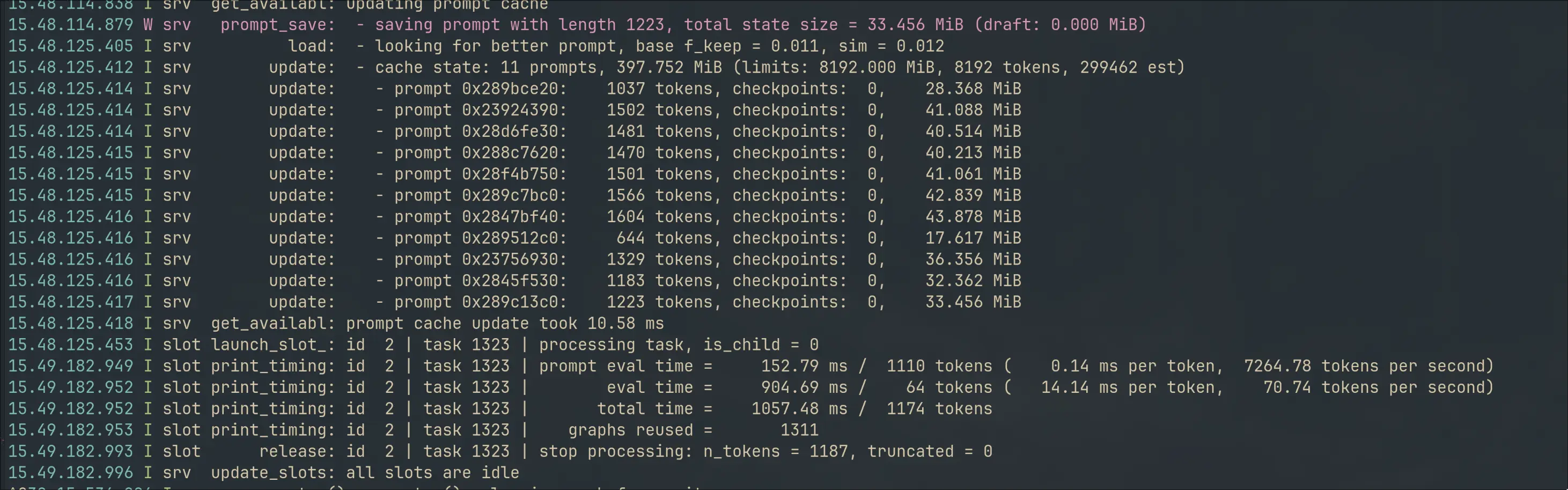
At 49 tok/s, a 64-token completion takes approximately 1.3 seconds from request to full response. The 300ms throttle means the model isn’t queried until you stop typing for at least 300ms, so the user-perceived latency is the throttle time plus generation time for the first few tokens (streamed).
Where It Works and Where It Doesn’t
Works reasonably well for:
- Boilerplate generation (getters, error checks, simple conditionals)
- Completing single-line statements
- Pattern-completion (for loops, if-else chains, struct field initialization)
- Languages the model was trained on (Python, Go, TypeScript, Rust, Lua)
Doesn’t work well for:
- Multi-line completions beyond roughly 5-8 lines — quality degrades noticeably
- Understanding project-wide context or conventions — the model only sees the current buffer
- Rare or domain-specific APIs — a 1.5B model doesn’t memorize long-tail library functions
- No cloud-side retrieval or project-wide indexing — this setup uses the local context that Minuet sends to llama.cpp
Comparison with GitHub Copilot:
| Aspect | GitHub Copilot | This setup |
|---|---|---|
| Cost | Free tier: 2,000 completions/mo | Free (electricity only) |
| Pro: USD 10/mo (usage-based billing) | ||
| Pro+: USD 39/mo | ||
| Max: USD 100/mo | ||
| New sign-ups | Paused since April 2026 (paid plans) | No sign-up needed |
| Internet required | Yes | No |
| Code leaves your machine | Yes (sent to Microsoft servers) | No |
| Model size | Proprietary, likely >100B | 1.5B parameters |
| Context window | Full file + related files | Current buffer only |
| Per-language specialization | Yes | Single model for everything |
| Latency | ~200-500ms | ~300ms throttle + generation time |
| Setup time | 5 minutes | ~30 minutes (one-time) |
The local setup trades quality and convenience for privacy, offline capability, and zero recurring cost. Whether that trade-off is worth it depends on how much you value those three things.
What FIM Looks Like Under the Hood
When Minuet AI sends a FIM request, llama.cpp receives the code before and after the cursor as separate strings. The server internally constructs the model input by inserting FIM tokens:
Input:  <|fim_prefix|>def is_prime(n):\n    <|fim_suffix|>\n    return True<|fim_middle|>
Output: if n == 2:\n        return True\n    if n % 2 == 0...
The <|fim_prefix|> and <|fim_suffix|> tokens are embedding vectors with semantic meaning — the model learned during training that these markers signal a fill-in-the-middle task. The <|fim_middle|> token marks where generation should begin.
Without FIM — if you send only the prefix — the model doesn’t know there’s code after the cursor. It might generate a closing brace that conflicts with the one already in the suffix, or produce logic that duplicates what follows. FIM is what makes the completion fit contextually.
The Full Pipeline
HuggingFace safetensors
  → convert_hf_to_gguf.py → GGUF (f16, 3.09 GB)
    → llama-server (localhost:6969, RTX 4060)
      ┝ /v1/completions  → Minuet AI (FIM inline completions)
      ┕ /v1/chat/completions  → CodeCompanion (AI chat)
The same server handles both endpoints. Minuet AI uses /v1/completions with prompt/suffix. CodeCompanion uses /v1/chat/completions with message arrays. Both plugins are in the same Neovim instance.
What About VS Code Users?
This post is Neovim-focused because that’s my editor, but the approach is not Neovim-only. VS Code users have local FIM autocomplete options too.
The closest equivalent is llama-vscode from ggml-org. It is built around llama.cpp, supports local FIM completions, and can run Qwen Coder models directly through llama-server.
For low-VRAM machines, the extension documents a Qwen2.5-Coder 1.5B FIM preset:
llama-server --fim-qwen-1.5b-defaultFor users who want more configuration, Twinny is another VS Code option. It supports FIM completions, chat, llama.cpp, LM Studio, OpenAI-compatible APIs, and separate endpoints for completion and chat.
The core idea stays the same across editors:
- Use a FIM-capable code model
- Serve it locally
- Use an editor extension that sends prefix + suffix context
- Keep the context window under the server’s token limit
Neovim uses Minuet AI for that in my setup. VS Code users can get similar behavior with llama-vscode or Twinny.
Caveats and Open Questions
- Context splitting with parallel slots:
--parallel 4with-c 8192gives each slot 2,048 tokens. The setup works because Minuet is capped atcontext_window = 6000characters, which keeps typical FIM requests below that slot limit. If you increase Minuet’s context window, also increase llama.cpp context or reduce parallel slots. - Large files need context budgeting: Copilot handles this silently. With a local stack, you have to configure it. The important lesson was that Minuet’s context window is character-based while llama.cpp’s error is token-based.
- KV cache management: llama.cpp allocated a prompt cache of 8,192 MiB. The
--cache-idle-slotsoption requires--kv-unifiedand was disabled automatically. This is a default behavior worth knowing about. - Single model limitation: You can run only one model per llama-server instance. Serving both FIM completions and chat from the same model means neither is ideal for its task. Running a second instance with a larger instruct model on another port is the natural next step.
I started with a specific goal: reproduce the Copilot inline completion experience using local infrastructure. The result isn’t a replacement — the quality gap is real, especially for complex suggestions. But it works for the common cases, it runs offline, and it costs nothing beyond the hardware I already own.
The model is on HuggingFace. The server is llama.cpp. Minuet AI is on GitHub. All three are open source.

Other posts

Why an AI Agent Session Is More Than a JSONL File
↗How Infai evolved its AI agent session store from a simple JSONL log into a durable, branchable, lazy-loaded, and compactable timeline.
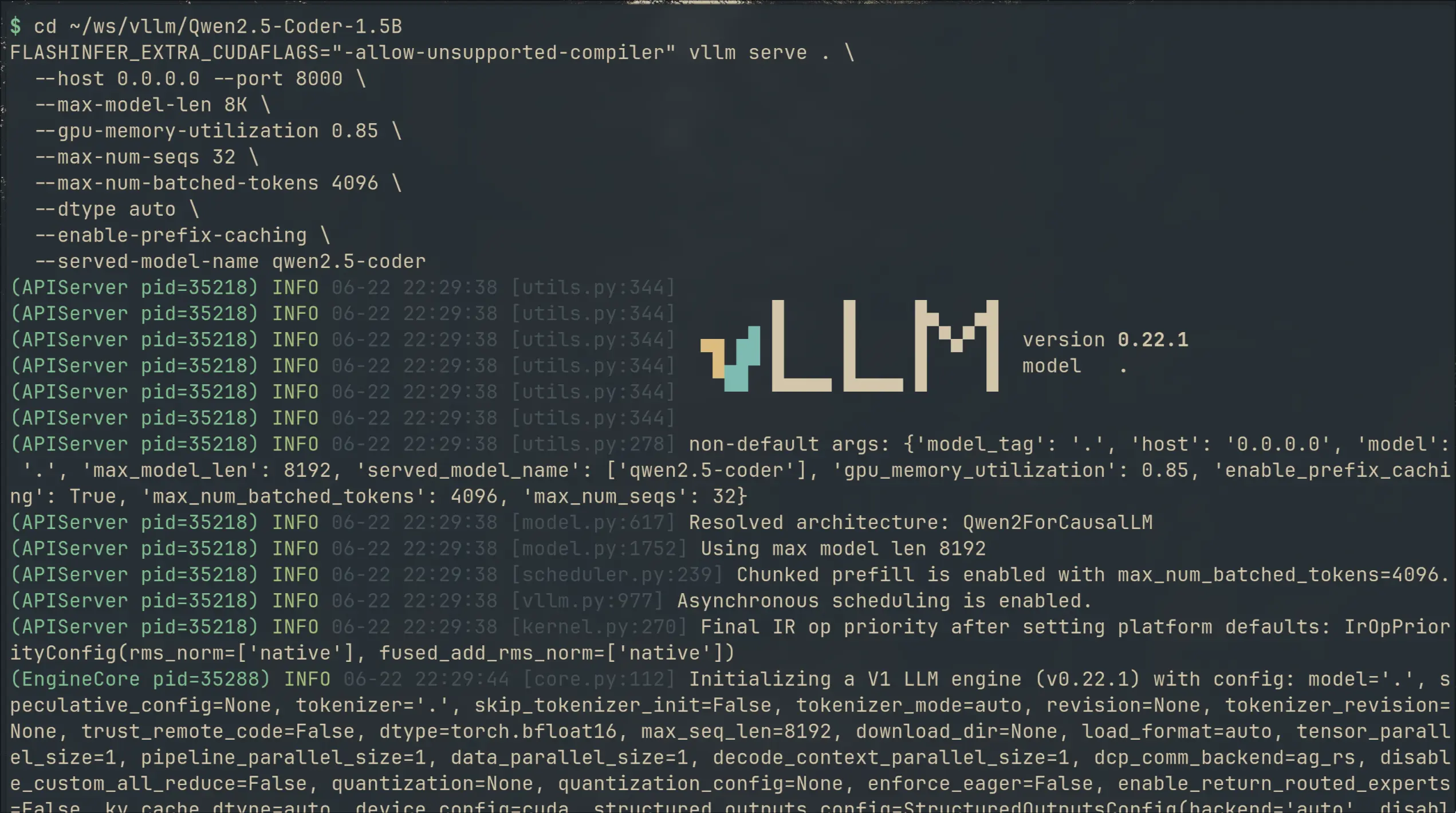
I Switched My Local Copilot From llama.cpp to vLLM — 2× VRAM for 50% Faster Completions
↗I swapped llama.cpp for vLLM on my local code completion setup. 49% faster generation, 36% lower latency — but 2× the VRAM. Here's what I gained, what it cost, and the gritty install details.

Building My First SaaS: Kubmin in the AI Agent Era
↗What building Kubmin taught me about SaaS system design, observability, deployment, queues, auth, and using AI agents without losing ownership.