Building My First SaaS: Kubmin in the AI Agent Era
What building Kubmin taught me about SaaS system design, observability, deployment, queues, auth, and using AI agents without losing ownership.

AI agents make it easy to ship faster. Faster deploys, faster PRs, faster prototypes. But something quietly changes when the codebase starts growing faster than your understanding of it. I know because I have been building Kubmin, my first SaaS, long enough for the architecture decisions to start arguing back.
Not as a weekend CRUD app. Not as a “let me try this new framework” project. Kubmin became a real SaaS control plane: users, organizations, billing, quotas, Kubernetes cluster create/import flows, workers, queues, OpenTelemetry, workload cost analysis, energy metrics, release comparisons, dashboards, and deployment automation.
And I built a lot of it in the AI agents era.
That combination taught me something I did not fully understand at the start: AI agents make code show up faster, but they do not make systems easier to own. If anything, they force you to become more intentional. Because when the code appears quickly, the architecture debt also appears quickly.
So this is not a clean “here is the perfect SaaS architecture” post. It is a field note from building Kubmin: what held up, what became expensive, and where AI agents helped or made things easier to mess up.
TL;DR
- Kubmin taught me that early SaaS should be boring where it matters: auth, database, migrations, queues, rate limits, deployment, backups, and observability.
- AI agents are great when I already understand the system and can split work into bounded tasks. They are dangerous when I ask them to invent the architecture.
- The biggest shift was treating observability, queues, quotas, and deployment recovery as core product infrastructure — not later-stage polish.
What Kubmin is about
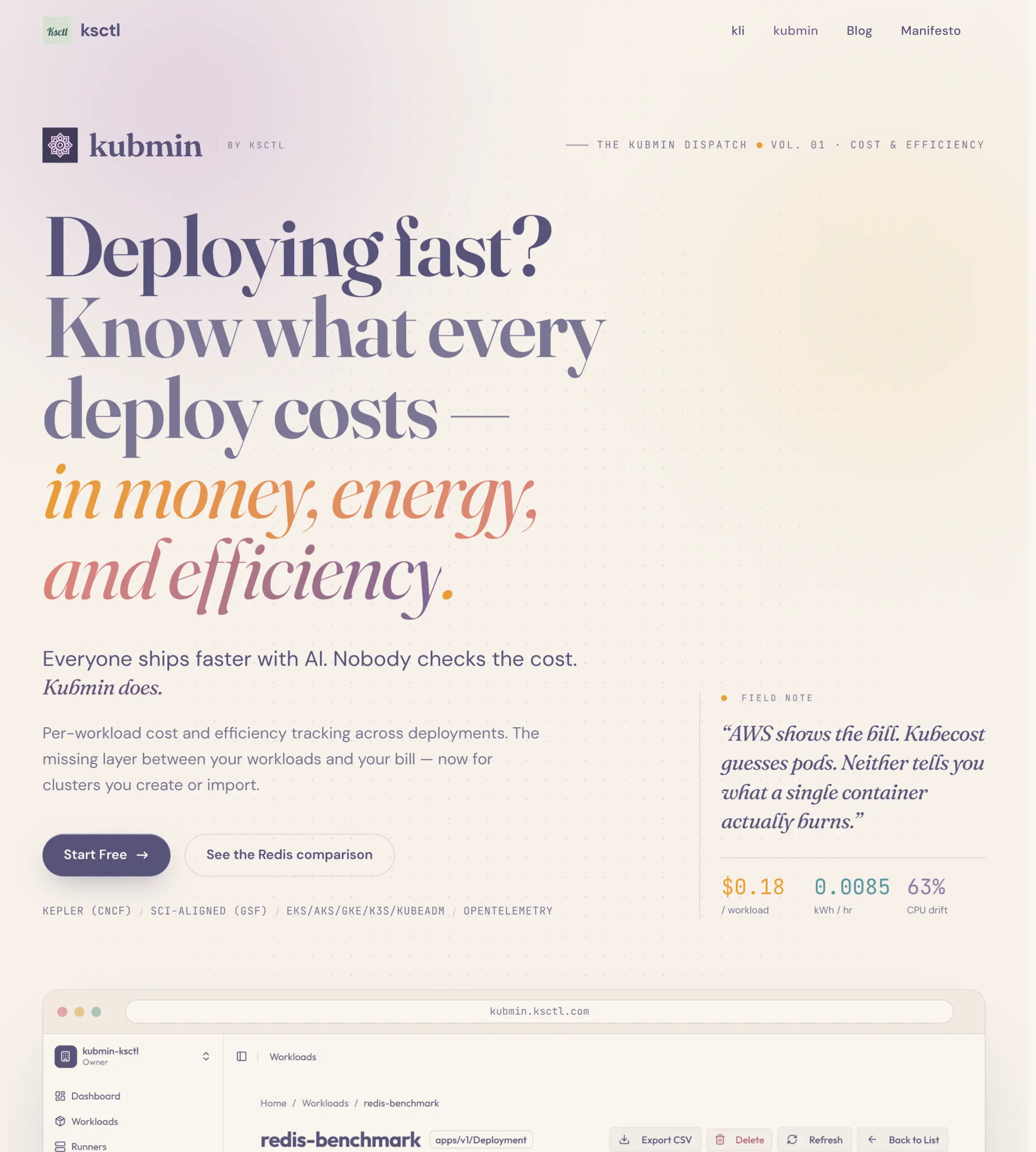
Kubmin started from a simple problem: Kubernetes teams know they are spending money, but they often do not know what each workload costs.
Cloud bills show instance-level cost. Monitoring tools show CPU and memory. But between “this cluster costs money” and “this image version made this workload less efficient,” there is a missing layer.
That is where Kubmin sits.
Kubmin tracks per-workload cost, energy consumption, efficiency scores like SCI/SEE, and release-over-release efficiency changes. It can work with clusters you create or clusters you import. It connects with observability stacks like Prometheus, Loki, Tempo, and Grafana through OpenTelemetry Collector, and uses Kepler for workload-level energy attribution.
On the Kubmin product page, I summarize it as:
Everyone ships faster with AI. Nobody checks the cost. Kubmin does.
That line became more true while building the product itself. AI agents helped me ship faster. But Kubmin kept reminding me that every faster deploy still has a cost: CPU, memory, energy, debugging complexity, and architecture decisions I would later have to maintain.
At some point, the product and the development process started teaching me the same lesson from two different sides.
Lesson 1: use OAuth/OIDC unless passwords are the product
The first thing I would do again: avoid username/password auth for an early SaaS unless there is a strong reason.
For Kubmin, GitHub login is enough. Google/GitHub OAuth-style login, technically OAuth 2.0 plus OpenID Connect for identity, removes a whole category of problems from the system.
The moment you store passwords, you own:
- password hashing and salts
- password reset flows
- email verification
- credential stuffing protection
- MFA expectations
- breach impact
- account recovery edge cases
If your product is not about identity, this is a lot of complexity to voluntarily adopt.
If you must store passwords, follow OWASP guidance: strong slow hashing like Argon2id, bcrypt, or PBKDF2; no plaintext; no homemade crypto. But my learning from Kubmin is straightforward: do not own password risk before the product needs it.
OAuth/OIDC is not “less engineering.” It is choosing where your engineering time should go.
Lesson 2: authorization becomes a graph before you notice
Authentication was easy compared to authorization.
Kubmin has users, organizations, roles, clusters, shared cluster access, owners, admins, collaborators, billing permissions, and cluster-level actions. That is already not a simple boolean like is_admin.
For a very small SaaS, I would still start with relationship tables. If the resource model is static and tiny, a table like user_id, resource_id, role is more than enough.
But once the product has a growing permission surface, authorization starts looking like a graph:
- user belongs to organization
- organization owns cluster
- admin can manage all clusters
- collaborator can view org but needs explicit cluster share
- billing actions belong to owners/admins
- cluster actions depend on both org role and cluster relationship
That is where Authzed/SpiceDB-style authorization makes sense. It lets you model permissions as relationships instead of scattering checks across handlers.
The important lesson is not “always use Authzed.” The lesson is:
If your authorization model is going to grow, model it as a first-class system before random
if role == ...checks become your architecture.
I also learned that this is exactly the kind of thing AI agents need explicit ground truth for. If an agent does not understand your permission model, it will confidently add a route that “works” and quietly bypasses the real access rules.
Small plug: I also wrote an Agent SKILL.md for this, because Authzed is one of those areas where clear ground truth helps a lot.
Lesson 3: UUIDv7 is a boring choice that ages well
Kubmin uses UUIDv7 for IDs.
This is a small decision, but I like it a lot. UUIDv7 is standardized in RFC 9562 and gives you time-ordered UUIDs. You still get distributed ID generation, but inserts behave better than fully random UUIDv4-style keys.
Why I like it:
- IDs can be generated outside the database.
- New records roughly sort by creation time.
- Index locality is better than random UUIDs.
- Debugging feels nicer when IDs have temporal behavior.
It is not a magic performance fix. It is one of those “choose the good default early and stop thinking about it” decisions.
In a SaaS control plane, there are already enough hard problems. ID format should not become one later.
Lesson 4: SQL vs NoSQL is not a religion
I have stopped treating “SQL vs NoSQL” like a stack identity question.
For Kubmin-style data, SQL is the natural default. Users, organizations, quotas, subscriptions, clusters, and jobs all benefit from schema, constraints, transactions, and predictable queries.
If you want ACID properties — Atomicity, Consistency, Isolation, Durability — SQL databases are usually the easiest path. When several changes must succeed or fail together, transactions matter.
NoSQL still has a place. If your data is document-shaped, flexible, rapidly evolving, and does not need relational joins everywhere, something like MongoDB can be a good fit. MongoDB also has transactions, so the debate is not “SQL has correctness and NoSQL has scale.” The real question is how your data wants to be modeled.
My Kubmin learning:
- Control plane data usually wants SQL.
- Highly flexible product data may want document storage.
- Pick based on invariants, not trends.
AI agents can write database code quickly. But they cannot decide your consistency model and access patterns for you. That is exactly where your systems engineer judgment comes in.
Lesson 5: migrations need their own operational path
Database migrations are not just files. They are deployment events.
I like migration names shaped like this:
00001-create-users.up.sql
00001-create-users.down.sql
00002-add-organization-quotas.up.sql
00002-add-organization-quotas.down.sql
Or generally:
#####-{name}.up.sql
#####-{name}.down.sql
The exact separator does not matter. The discipline does:
- numeric prefix for ordering
- descriptive name for humans
- explicit
up - explicit
down - dedicated migration run mode/job
In Kubmin, one pattern I like is having a single backend binary with multiple modes: API server, worker, migration, and so on.
That keeps operations explicit. The API is not secretly mutating schema on startup. A migration run is a migration run.
When you deploy a SaaS, you need to answer: “How do I move the database forward?” and also “How do I move it backward if this deploy is bad?”
If you cannot answer the second question, you do not have a migration strategy. You have hope.
Lesson 6: cache is easy to add and hard to deserve
Caching is one of the easiest ways to make a system more complicated.
My current default is: avoid cache until there is a measurable reason.
For Kubmin, Valkey/Redis-style cache makes sense for sessions, quota plan limits, and a few short-lived computed states. These have clear keys, TTLs, and invalidation paths.
But I would not blindly cache every database query.
A cache needs at least four answers:
- What is the key?
- What is the TTL?
- What invalidates it on writes?
- What happens when many requests miss at the same time?
That fourth one is the cache stampede problem. If a hot key expires and 100 requests all hit the database to rebuild it, your cache just moved the failure somewhere else.
Another practical learning: keep the cache close to the backend. If the cache is in another region and costs ~200ms to reach, you might hit cache, miss cache, then hit the database anyway. Congratulations, you added a slower path with more failure modes.
The rule I use now:
If I cannot explain invalidation and stampede behavior, I am not ready to add the cache.
Lesson 7: CDN is useful, but not automatically needed
The same applies to static assets.
CDNs are great when you have lots of static assets, global users, large images, downloads, or public pages where edge caching matters.
But for a normal SaaS dashboard, do not blindly add a CDN just because “production architecture” sounds incomplete without one.
A CDN can add:
- object storage sync
- deployment pipeline changes
- cache-control decisions
- edge invalidation
- asset URL rewriting
- debugging old cached files
If the product has a few dashboard assets, keeping them inside the frontend deployment may be enough.
Use a CDN when assets become a real latency or origin-load problem. Do not cargo-cult the edge.
Lesson 8: deployment location is part of performance
I used to think of deployment location as infra detail. Now I treat it as part of the request path.
Ideally, your backend and database live in the same region and preferably the same cloud/provider network. Every cross-region call taxes your latency budget.
In early MVP mode, this is not always possible. You may use a managed database on one platform and compute somewhere else because of cost. That is fine. But be honest about it.
Even when two services claim to be in the “same region,” moving across providers can still add noticeable latency.
The learning is not “always buy expensive managed infra.” The learning is:
Latency is not abstract. Your deployment topology is user experience.
Lesson 9: I still think k3s can be a good middle ground
“You do not need Kubernetes” is true for many products.
But I think the better version is: you do not need a complicated Kubernetes platform.
For Kubmin, a small k3s setup made sense. A single self-hosted node on Hetzner with enough CPU/RAM buffer gave me a consistent deployment environment: deployments, services, secrets, config, health checks, volumes, jobs, cron jobs, and a path to add nodes later without changing the application deployment model.
That does not mean installing every shiny thing into the cluster.
The warning is important: do not turn your cluster into a CNCF museum. Basic Kubernetes primitives can take you far.
For early SaaS, I see three reasonable paths:
- Docker Compose when the app is tiny and simple.
- k3s when you want Kubernetes primitives without a managed-cluster bill.
- Managed Kubernetes when the business can justify the cost and operational model.
The real goal is not Kubernetes. The goal is a deployment strategy you can keep as the product grows.
Lesson 10: OpenTelemetry from day one is worth it
If there is one decision I would push harder from the beginning, it is observability.
OpenTelemetry should not be a “later” task. It should be part of the foundation.
The best mental model is simple: your application only needs to know where the OpenTelemetry Collector is. The app emits traces, logs, and metrics through OTLP. The collector sends them to Prometheus, Loki, Tempo, or whatever backend you choose.
That separation is what makes the investment worth it.
In practice, OTEL saved me time in three ways:
Metrics told me whether workers were alive, whether background processing was moving, whether DB connection pools were healthy, and whether resource usage looked wrong.
Logs reduced the “paid visit” to the server. Instead of SSH-ing and grepping random files, I could inspect logs from one dashboard.
Traces showed which route, function, database call, or worker transition caused the issue. Stack traces are useful, but traces tell the story of a request across boundaries.
The real win is correlation: metrics ↔ traces ↔ logs. When those connect, debugging becomes following evidence instead of guessing.
I had written a longer post on this in My First Two Months with OpenTelemetry, and Kubmin’s Guided Observability feature came from the same pain. Kubmin can help wire OpenTelemetry Collector with Prometheus, Loki, Tempo, Grafana, and Kepler so teams can connect telemetry back to workload cost and energy.
Observability stopped being a dashboard feature for me. It became a requirement for moving fast safely.
Lesson 11: release pipelines and OCI images are not optional polish
Once Kubmin became more than a local experiment, release discipline mattered.
Build Docker/OCI images. Push them to a registry. Tag releases. Have CI/CD workflows that can build and deploy without your laptop being special.
This matters even more when AI agents contribute code. The pipeline becomes the adult in the room:
- lint
- tests
- build
- image creation
- migration run
- deployment
- rollback path
Configuration also needs a clear strategy. Environment variables are fine. Mounted config files are fine. What is not fine is half the config in GitHub secrets, half in shell scripts, half in a dashboard, and one critical value only present in your terminal history.
The more agents help write code, the more deterministic your release process needs to be.
Lesson 12: your application should run locally without fancy stuff
Your SaaS should run locally without needing the full production circus.
Not because a laptop is production. It is not. But local development gives you the best possible case: the frontend, backend, database, cache, and workers are all close together. Network latency is near zero. Cloud noise is gone. If the app still feels heavy there, the problem is probably not the cloud.
This is one of the simplest ways to understand how much your application actually needs. How much memory does the backend take when nobody is using it? Does the frontend dev server eat CPU for no reason? Do workers leak memory after running for a while? Does the API feel slow even when the database is basically next door?
Local mode gives you the clean picture before infrastructure latency blurs the signal.
This does not mean every external integration must work perfectly on your laptop. Some things can be stubbed, mocked, or pointed at a dev service. But the core product loop should run locally. If the application only works inside a fancy deployed environment, debugging becomes theatre.
A good local setup is not just developer experience. It is an architecture health check.
Lesson 13: disaster recovery should assume the server dies
A SaaS deployment should be replaceable.
If the server dies, the question should be “how fast can I recreate it?” not “what was on that machine?”
For Kubmin, I prefer keeping the execution plane as stateless as possible. The app should be redeployable. The server should be replaceable. State should live in systems with explicit backup/restore stories: databases, object stores, volumes with snapshots, external services.
This is why I like self-managed pieces only when they are portable. If tomorrow I need to move from one provider to another, Terraform and deployment scripts should get me most of the way there.
Database backups matter even more. In my MariaDB snapshot backup post, I wrote about using disk snapshots to create restore and replica paths without making the database backup pipeline too clever.
The exact backup method depends on the stack. The principle does not:
Recovery should be practiced, not imagined.
Lesson 14: simple APIs help humans and agents
Kubmin reinforced my preference for simple HTTP APIs.
REST-style endpoints with an OpenAPI-compatible shape are boring in the best way. OpenAPI gives humans and tools a machine-readable description of the API. That helps frontend work, onboarding, generated clients, testing, and AI agents trying to understand the system.
A clever API is fun once. A predictable API is useful every day.
This matters for hiring too. If someone joins the project and can understand the API without reading half the backend, that is a win.
My current API design bias:
- keep routes predictable
- keep request/response shapes boring
- document the contract
- avoid making business logic implicit in naming tricks
AI agents do better when contracts are explicit. So do humans.
Lesson 15: quotas and rate limits are core SaaS mechanics
Rate limits and quotas look similar from far away, but they solve different problems.
Rate limits protect the platform from abuse, bugs, bursts, and noisy clients. They belong in middleware. If the backend is stateless, the limiter needs shared state — Redis/Valkey is a common choice.
Quotas protect the product and pricing model. Free users get one set of limits. Paid users get another. Cluster count, workload count, retention window, team members — whatever the plan promises must be enforced in code.
Kubmin has plan-based limits around clusters, workloads, members, and retention. That sounds simple, but it touches billing, UI, API checks, database queries, and user experience.
The lesson:
If pricing depends on it, quota enforcement is product logic, not a TODO.
Lesson 16: circuit breakers are product decisions
Circuit breakers are worth mentioning because SaaS systems depend on things that fail: cache, database, queues, cloud APIs, billing providers, email providers, observability backends.
The mistake is treating a circuit breaker as a library checkbox. The hard part is deciding what the product should do when a dependency is unhealthy.
For every external dependency, I now think in this order:
- Set a timeout.
- Retry only when the operation is safe or idempotent.
- Add a circuit breaker when repeated failure would hurt the whole system.
- Decide whether failure should be fail-open, fail-closed, or fail-soft.
That last decision matters.
If rate limiting storage is down, maybe fail-open is better than taking the whole product offline. If authorization is down, fail-closed is safer. If telemetry export is failing, fail-soft and keep serving the user. If a destructive cloud operation is uncertain, do not blindly retry without knowing whether the first attempt succeeded.
A circuit breaker has technical states like closed, open, and half-open. But the real design question is product-level: what should users experience while this dependency is broken?
Lesson 17: queues are required, but they need policies
Every serious SaaS eventually has work that does not fit inside a normal request/response cycle.
These should not be forced into synchronous HTTP requests.
The API should accept the request, create a job, enqueue work, and return. Workers should process with controlled concurrency.
Queues are also useful for external callbacks and billing-related events. Those flows need retry behavior, idempotency, and controlled processing. Dropping an important event silently is not acceptable.
But queues are not infinite buffers.
You need to decide:
- max delivery count
- retry/backoff behavior
- dead-letter queue behavior
- storage limits
- what happens when the queue is full
- whether new events block or old events drop
- how much concurrency each worker pool gets
NATS JetStream is useful here because it gives durable streams, consumers, acknowledgments, redelivery, retention, and storage controls. But the tool does not choose your policy. You do.
Write-heavy systems especially need this. A queue can absorb spikes, but only inside the limits you configured.
Lesson 18: read-heavy systems should precompute more
Kubmin has many read-heavy paths: dashboards, workload comparisons, hourly metrics, cost summaries, energy summaries, SCI/SEE views.
The lesson here is simple: do expensive work before the user asks.
For read-heavy patterns:
- precompute summaries
- store hourly aggregates
- denormalize carefully
- use materialized views or summary tables where useful
- add read replicas when the database becomes the bottleneck
- cache only after the read shape is understood
For example, if the UI always needs workload cost by hour, do not make every request recalculate the world. Process telemetry into a read-friendly shape, then serve that.
Read replicas can help too. In the MariaDB snapshot post, I wrote about how snapshots can help spin up a replica path from a primary data disk. Replicas are useful when reads overwhelm the primary, but they also introduce lag. So route only stale-tolerant reads there.
A read-heavy SaaS should not rediscover facts on every request.
Lesson 19: AI agents are not magic, but they are useful
Now the AI part.
The simplest way to avoid disappointment is to remember what an AI agent is doing: it predicts tokens based on context, tools, files, prompts, and previous messages.
Modern models are powerful. But they still do not know your product unless you give them the right context.
Whatever you provide becomes truth.
If you tell the agent the wrong architecture, it will build on the wrong architecture. If you omit a constraint, it may invent one. If your mental model is fuzzy, the agent fills the gaps with confidence.
I found three categories of work.
1. Big feature, clear breakdown
This is the best case for AI agents.
You understand the feature. You know the system design. You can split the work into independent milestones. Each task has a clear boundary.
Then agents help a lot.
One agent can inspect code. Another can write a migration. Another can implement a route. Another can write tests. Another can update docs.
But this only works when the tasks are independent. If every task depends on every other task, parallel sub-agents create chaos.
2. Big feature, unclear breakdown
This is where to slow down.
If I only understand the feature superficially — the direction seems right but the path is still unknown — I do not ask an agent to build it. That is how you get architecture by hallucination.
Instead, I use agents for exploration:
- find related files
- summarize current flows
- list unknowns
- compare possible approaches
- draft a plan
- identify risks
Then I build the mental model myself. Once the design becomes deterministic in my head, I delegate bounded implementation work.
The goal is not to avoid AI. The goal is to avoid outsourcing judgment too early.
3. Small feature, clear boundary
This is where agents shine.
Add a field. Update a response type. Write a table-driven test. Add a migration. Refactor a function. Wire a small UI state. Update documentation.
Small tasks with clear acceptance criteria are perfect for agents.
The speedup is real, but only if review stays real too.
Lesson 20: skills help when they encode maintainer knowledge
I have used Gemini, Claude Code, OpenCode, and Pi with project skills and agent workflows.
The biggest improvement came from giving agents better ground truth.
A bad skill is just a checklist. A good skill captures maintainer-level knowledge:
- backend architecture
- middleware order
- RBAC rules
- database/cache conventions
- migration patterns
- testing philosophy
- deployment constraints
- observability expectations
- known edge cases
This matters because agents do not need more random context. They need the right context.
For Kubmin, skills around backend API, Authzed RBAC, database/cache, DevOps, testing, data engineering, and green software metrics make agents more useful. They reduce the chance that the agent invents a pattern that does not belong in the codebase.
On long-term memory: it is useful, but not because the agent remembers everything.
The hard problem is filtering.
A project collects decisions, failed attempts, naming patterns, edge cases, TODOs, and random historical context. Dumping all of that into an agent is not intelligence. It is noise with confidence.
The next key is selection and compression. Human memory works like that too. We do not replay every conversation before making a decision; we carry compressed models of what matters. AI project memory needs the same shape: remember enough to preserve intent, filter enough to avoid dragging old confusion into new work.
The best agent context is not “remember everything.” It is “know what matters right now.”
The biggest learning: ownership did not go away
After building Kubmin through real product work, my view of AI-native development is more grounded.
AI agents made me faster. They helped me explore, implement, refactor, test, and write. But they did not remove the need to understand the system.
I still had to decide:
- OAuth vs passwords
- table-based authz vs Authzed
- SQL vs document storage
- cache or no cache
- queue policies
- circuit breaker behavior
- migration discipline
- local development path
- deployment topology
- k3s vs simpler runtime
- OTEL from day one
- quota enforcement
- read-heavy precomputation
- recovery strategy
- and many more
Those decisions are the product.
Code is the artifact. The system is the responsibility.
That is the line I would leave other builders with: AI agents can help you build SaaS systems faster, but they cannot own the consequences for you.
If you have the mental model, agents are genuinely useful.
If you do not, they are a very fast way to turn confusion into code.

I keep coming back to this quote. It may become true for writing code. But code is not the whole thing. The system is what matters.
If you want to see what these lessons turned into as a product, check out the Kubmin product page. It shows the workload cost, energy, efficiency, and observability layer I have been building from these decisions.
Related reading

Other posts

Why an AI Agent Session Is More Than a JSONL File
↗How Infai evolved its AI agent session store from a simple JSONL log into a durable, branchable, lazy-loaded, and compactable timeline.
I Switched My Local Copilot From llama.cpp to vLLM — 2× VRAM for 50% Faster Completions
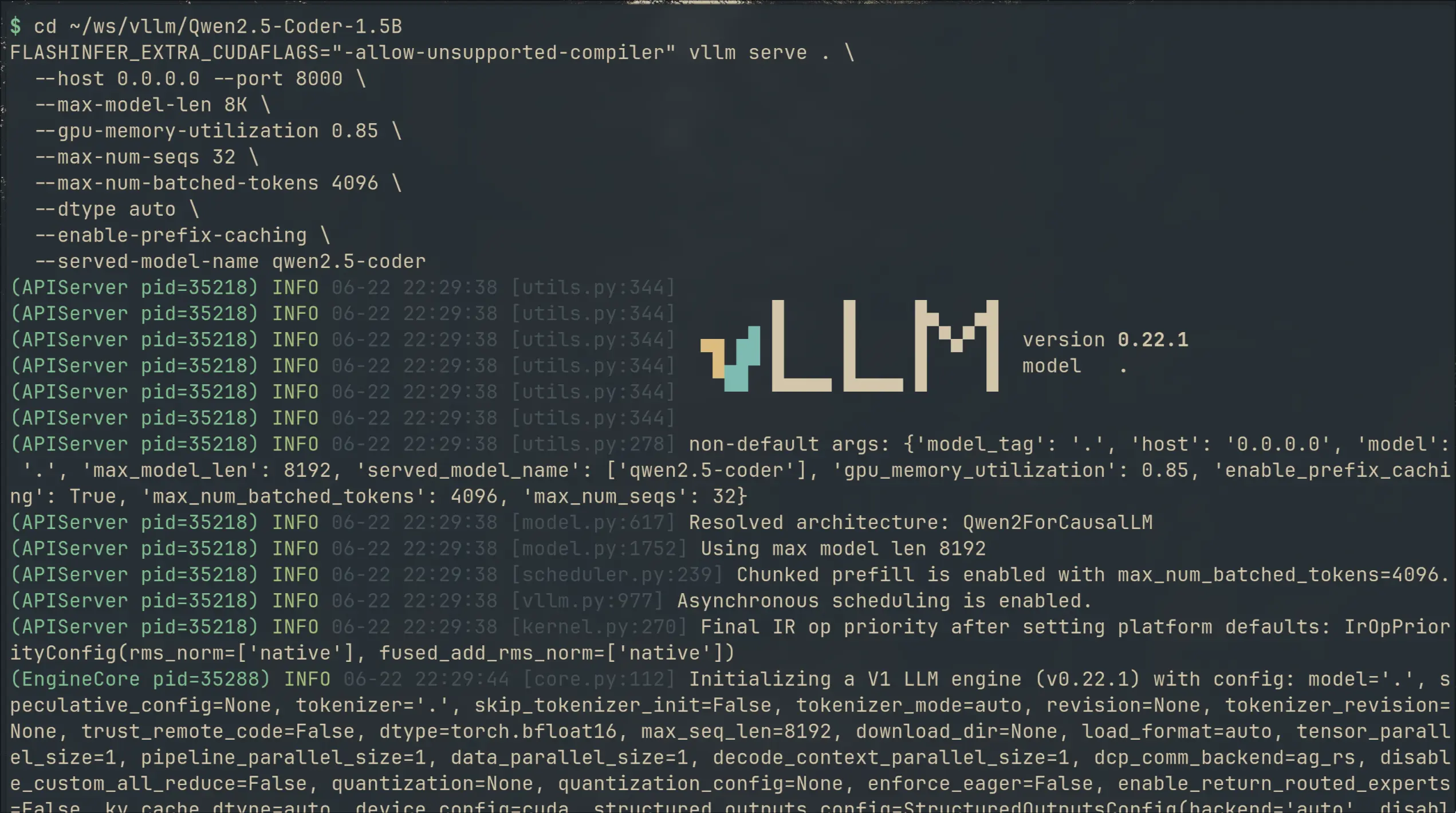
↗I swapped llama.cpp for vLLM on my local code completion setup. 49% faster generation, 36% lower latency — but 2× the VRAM. Here's what I gained, what it cost, and the gritty install details.

I Built a Copilot Clone in Neovim With a 1.5B Model on a Laptop GPU
↗Using Qwen2.5-Coder-1.5B with llama.cpp and Minuet AI to get Fill-in-the-Middle code completions in Neovim — no subscription, no telemetry, running on a laptop GPU.